What if every table could take its own order?
Tap@ puts your menu, ordering and loyalty on a small tag at each table. Guests tap and order from their seat. You watch every order arrive, live.
questions you can finally answer.
Every order placed through Tap@ tells you something about your restaurant.
which table has waited longest?
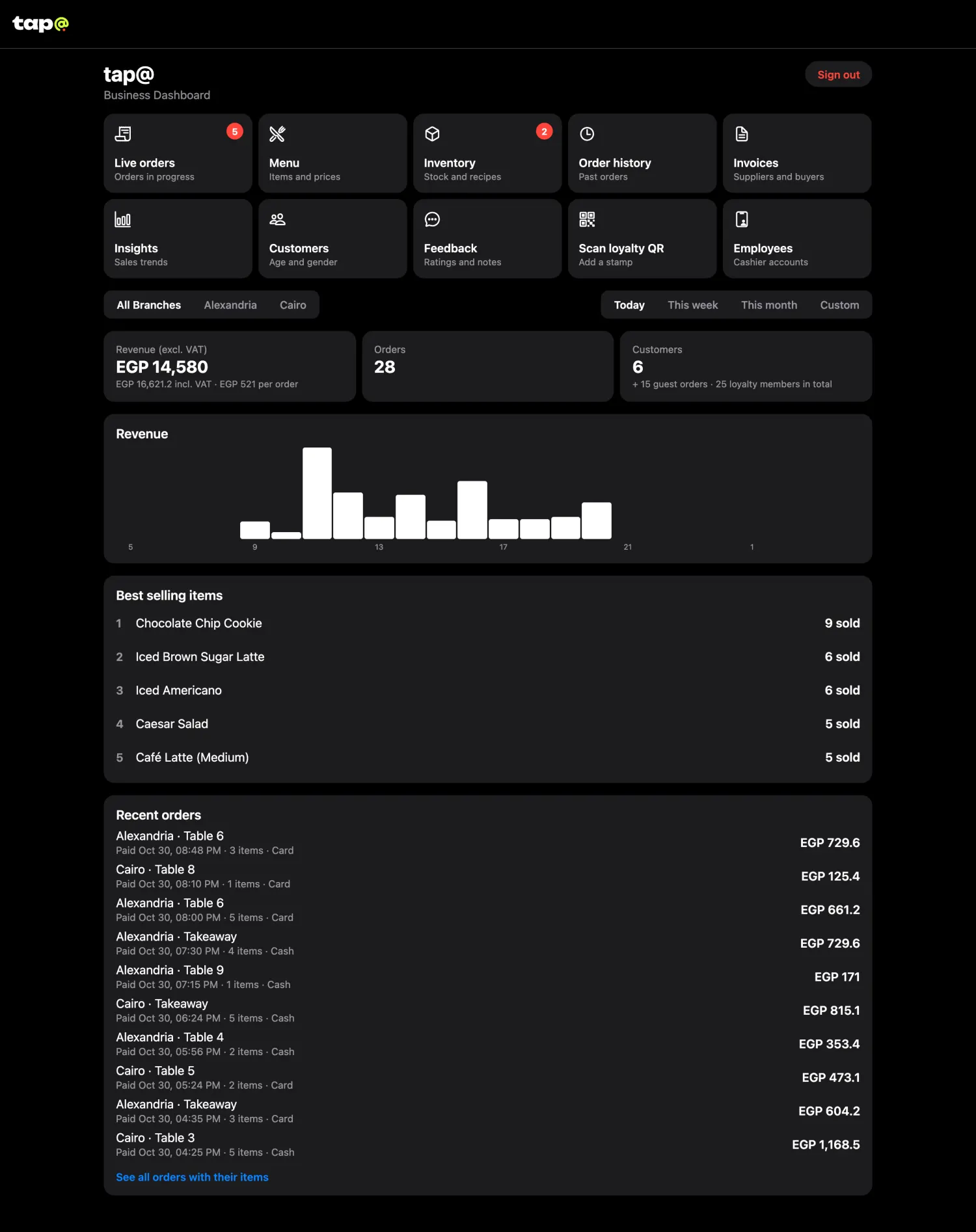
Live orders show every open table and how long it has been waiting.
what sold best this week?
Best and worst sellers for any period, for each branch.
when is our busiest time?
Your busiest hours and days, compared with the period before.
what did table 12 think?
Ratings and comments arrive with the branch and table attached.
who keeps coming back?
Order history shows what each member ordered, and you can search it.
what just ran out?
Mark a dish sold out in one tap. It changes on the menu at that branch instantly.
your restaurant, on one screen.
Orders arrive live, with how long each table has waited. Everything else you need to run the floor is one tap away. Try it below: this is the real dashboard with a month of a demo cafe's orders, and every button does what it does in the app.
one tag. four steps.
a tag on every table
Each tag holds a link that already knows your restaurant, branch and table number.
guests tap their phone
The page opens in the browser on iPhone and Android. There is no app to download.
they order from their seat
The menu and cart, with the table already filled in. When they're done, they ask for the bill from their phone and pay by cash or card at the table.
you see it live
The order reaches your dashboard in real time, and you move it along as the kitchen works.
what opens when a guest taps.
No app and no download. The tag opens this page in the phone's browser, already set to your restaurant and their table. Your version carries your own logo, menu and rewards. Try it on the phone: order, then follow the order to the bill.
Use the phone as a guest would: order any dishes, place the order and pay at the table. Points and rewards are for guests who sign in (see loyalty). Scroll inside the phone for the rest of a screen.
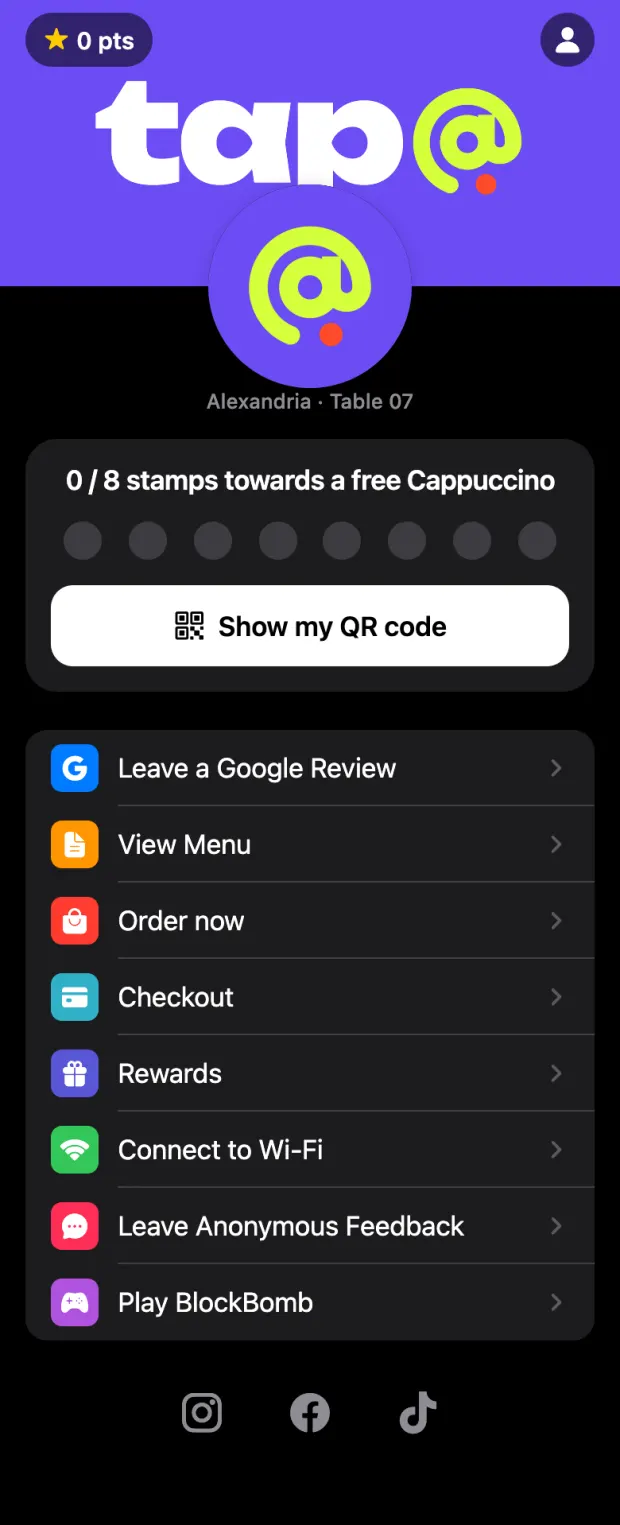
Real screens from the app in dark mode, with a demo cafe and test data.
a till for your cashiers.
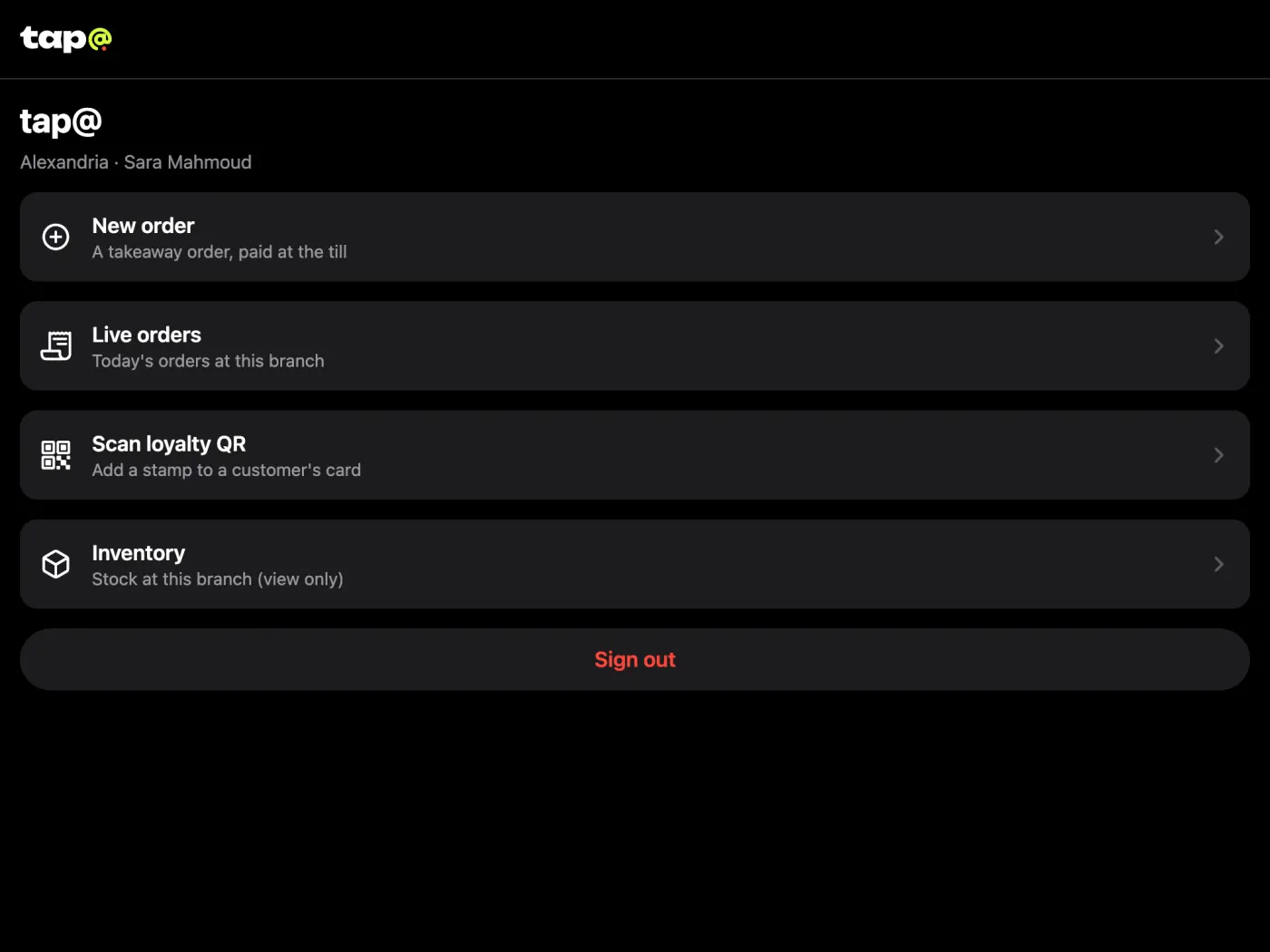
Cashiers sign in on a tablet at the counter. They take takeaway and Talabat orders, follow the same live queue, scan loyalty codes and print the day's sales. They never see your revenue, menu prices or customers.
good to know.
do guests need an app?
No. The tag opens a web page in the phone's browser, on iPhone and Android.
how do guests pay?
At the table, as they do today. Once their food is served they ask for the bill from their phone and say cash or card, so your staff know what to bring.
what do I need in the restaurant?
One NFC tag per table, and a phone, tablet or computer that stays on your dashboard. A receipt printer is optional, for bills and kitchen tickets.
what if a phone has no NFC?
Each table also has a QR code that opens the same page, so every guest can order.
what do I learn about my guests?
Only what they agree to share: age, gender and a shortened name, and their phone number if they turn on offers on WhatsApp. Their email is never shared with restaurants.
can I run more than one branch?
Yes. Each branch has its own tables, sold-out items and numbers, under one login.
curious how it looks with your menu?
Send us your menu and how many tables you have. We'll show you Tap@ set up as your restaurant.
info@tapat.co